The BRAWL² Tournament Challenge has been announced!
It starts May 12, and ends Oct 17. Let's see what you got!
https://polycount.com/discussion/237047/the-brawl²-tournament
It starts May 12, and ends Oct 17. Let's see what you got!
https://polycount.com/discussion/237047/the-brawl²-tournament
Creating a Master Material for your scene in UDK

polycounter lvl 17
Hey Guys,
I was feeling productive today so i thought i'd walk you through my workflow of creating a master material for the new scene i'm working on. This is a 45 minute tutorial shot in HD.
ENJOI!
Part 1 - [ame] http://www.youtube.com/watch?v=OFDMFDOu474[/ame]
Part 2 - [ame]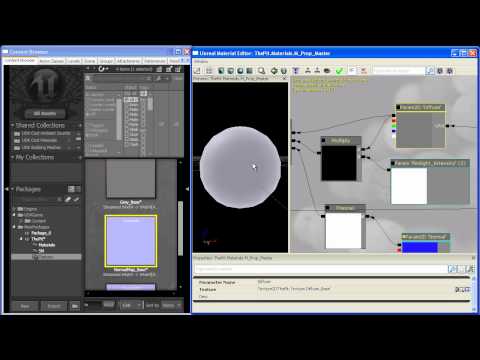 http://www.youtube.com/watch?v=TmE-8WeUupM[/ame]
Part 3 - [ame]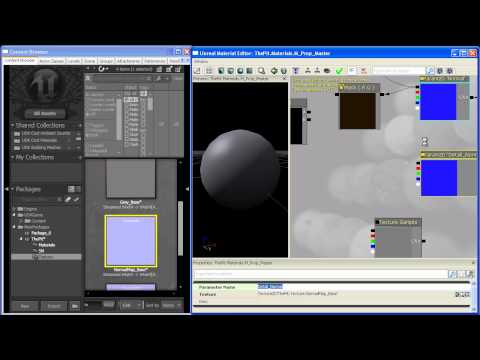 http://www.youtube.com/watch?v=2B5EN16trtI[/ame]
Part 4 - [ame]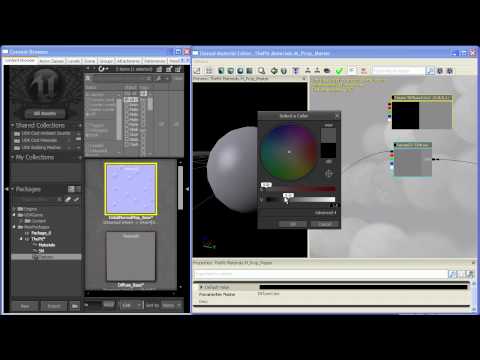 http://www.youtube.com/watch?v=Ctf4ApAeLv8[/ame]
Part 5 - [ame]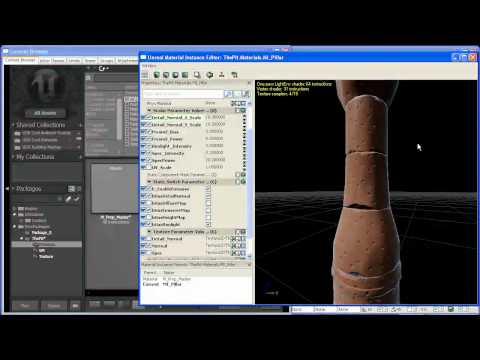 http://www.youtube.com/watch?v=ueGc6BdDwsk[/ame]
I was feeling productive today so i thought i'd walk you through my workflow of creating a master material for the new scene i'm working on. This is a 45 minute tutorial shot in HD.
ENJOI!
Part 1 - [ame]
http://www.youtube.com/watch?v=OFDMFDOu474[/ame]Part 2 - [ame]
http://www.youtube.com/watch?v=TmE-8WeUupM[/ame]Part 3 - [ame]
http://www.youtube.com/watch?v=2B5EN16trtI[/ame]Part 4 - [ame]
http://www.youtube.com/watch?v=Ctf4ApAeLv8[/ame]Part 5 - [ame]
http://www.youtube.com/watch?v=ueGc6BdDwsk[/ame]
Replies
SHIT SON!
Thanks!
One thing that bugged me was at a transition in part 2 - you set up a switch on the emissive map before hand, and it had been deleted afterwards. I was skipping around the video trying to find out where it went or if I needed it :S
(oh yeah, for thriller movie tension, play the Inception soundtrack in the background, and find yourself racing against Ryan's voice trying to follow along without pausing the video ;P DUUUUUUUUNNNN!! DUUUUUUUNNN!!)
The emissive static switch param that disappears around the 2 minute mark in part 2 of 5 is not important. you can proceed without it.
Thanks for the share
The speeds actually fine. If I knew my way around the mat editor better I could probably follow along by your voice alone. (I was alt tabbing a bunch).
I've nearly finished but I ran into a problem with setting up the height map. Once I plugged it in to everything the texture coordinates was plugged into, I got error after error.
I can only imagine some setting is different in mine, but I can't think what.
to JasonLavoie : Hey Jason, your Avatar really gives me nightmares :poly136:
you can reduce the instructions count by using the inverted dot product of a camera vector and an up vector instead of the fresnel. use a power node on that and make the exponent a parameter. same effect, just cheaper and with access to the exponent of the fresnel in the instance.
Note that instead of using the Up Vector, you should use your normal map if you want the rim light to be effected by your object's normal map.
Are you planning on throwing your next tutorials on 3dMotive like your Advanced Mesh Paint tut?
After that i'll probably do an advanced materials DVD that will cover my workflow and design methods for making materials look as realistic as possible.
Nice stuff..
Thanks for helping people understand the nuts and bolts of just how powerfully their workflow can be changed by taking advantage of how the engine works.
Gauss - Thanks for the kind words. If you have any problems or questions feel free to shoot me a PM or respond on this forum. I'd be happy to help. Another great shader artist who can help you out is Divi. He's got more knowledge than I do about materials at this point.
Mathes - Thanks man, we both know that the FX stuff you're doing at DE blows my shader work out of the water :P
Hadn't gotten around to using master materials yet, now I have to replace all my mats in the scene I'm working on.
Out of curiosity, what is Fresnel doing more than the inverted DotProduct to explain the extra instructions?
EDIT: Oh and also, how about opacity? Is it possible to set up something to toggle opacity on and off with this same master material (don't really see how), or would it be necessary to build a new one specifically for materials using opacity?
The Fresnel node is just the inverted dot product of the camera vector and surface normal, which is then sent to a power node (which explains the adjustable parameter of "Power" in the Fresnel node. To give it more control, you could add to this instruction count by multiplying it by an adjustable parameter, then add a bias parameter that you add to the end of the instruction,
And Yes, ASFAI you need to add a new master material for your transluscent materials.
Yeah I am pretty sure this is still the case. Same for double sided versions, ones with opacity or translucency and a few other options as well.
Easy enough to do though. Just duplicate the final master you made and then set the options for each one that you want set.
Just starts to suck when you are making a ton of changes over and over and you have to re-create these varients.
This would be the setup I'd use, there doesn't appear to be any change in instruction count compared to the original nor the appearance of the normals on the mesh, so I'm wondering whether all that appending is necessary.
Is this okay?
Can't thank you enough for this tutorial. It's helped tenfold with understanding this portion of UDK. Really really loved the advanced mesh paint tutorial you have over at 3DMotive too, literally blew my mind!
Thanks a bunch once again.
Ok, ass-kissing over. But seriously, keep 'em coming!
-Ant
Up to 5 hours, maybe more.