ENVO realtime environment shader for 3d studio max

Hi guys. I guess this is my first post here.
So, I'm Aurel Manea and lead 3d studio artist for Gameloft studio in Romania and Eastern Europe, but technically I'm more on the technical side of the 3d realm.
This is my first attempt of a shader that is no work specific and tries to fill a void that I found in the realtime shader world for 3d max.
That is a shader that is the equivalent of Xoliul for prebaked lightmap based scenes.
Why ? Because I found that the result while rendering with v-ray are much better than any global illumination engine for Unreal or Unity.
It is made with shader FX as I don't have enough knowledge or pacience for something this much
You can find out more and download it along with a sample scene from my website:
http://www.aurelm.com/envo/
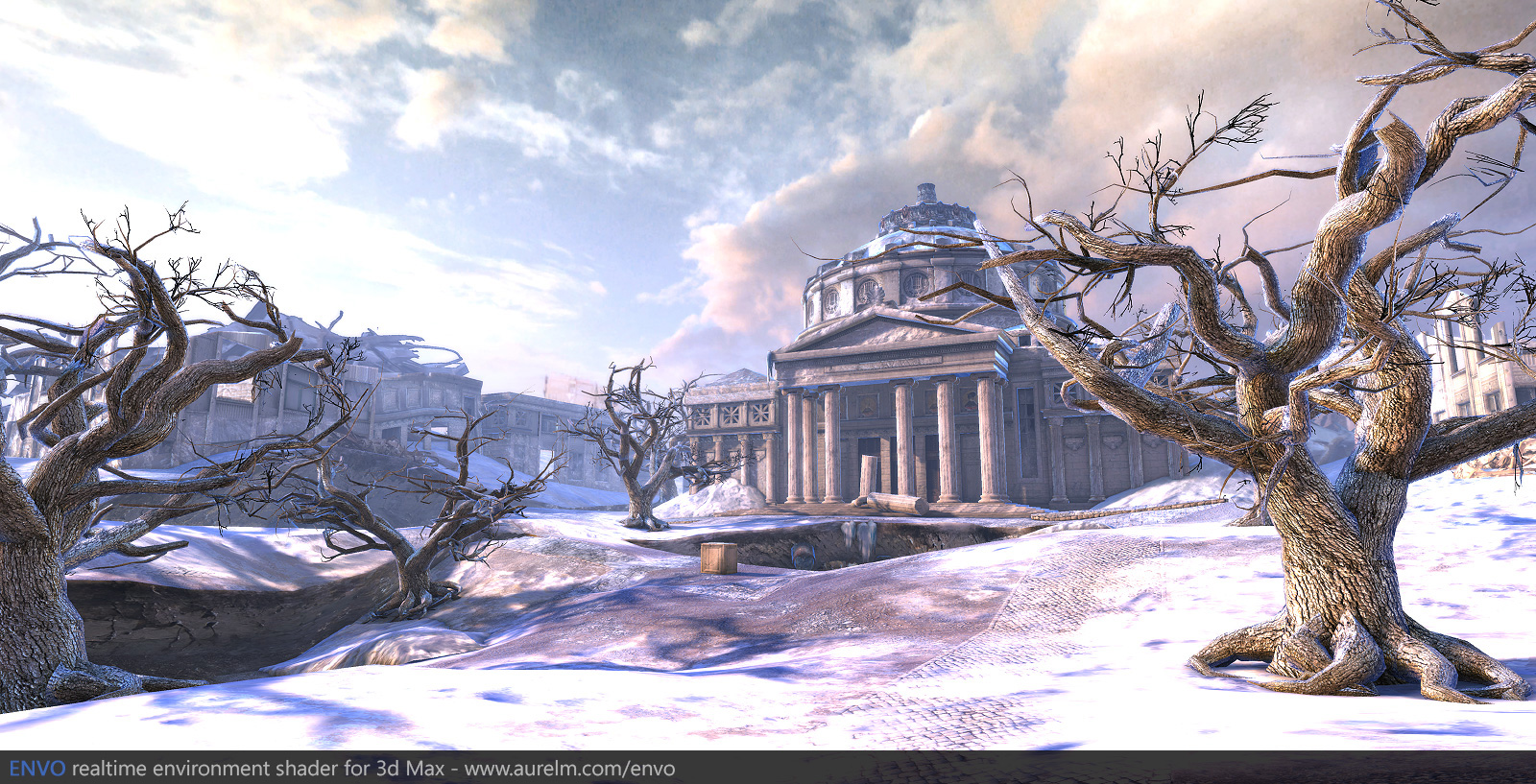
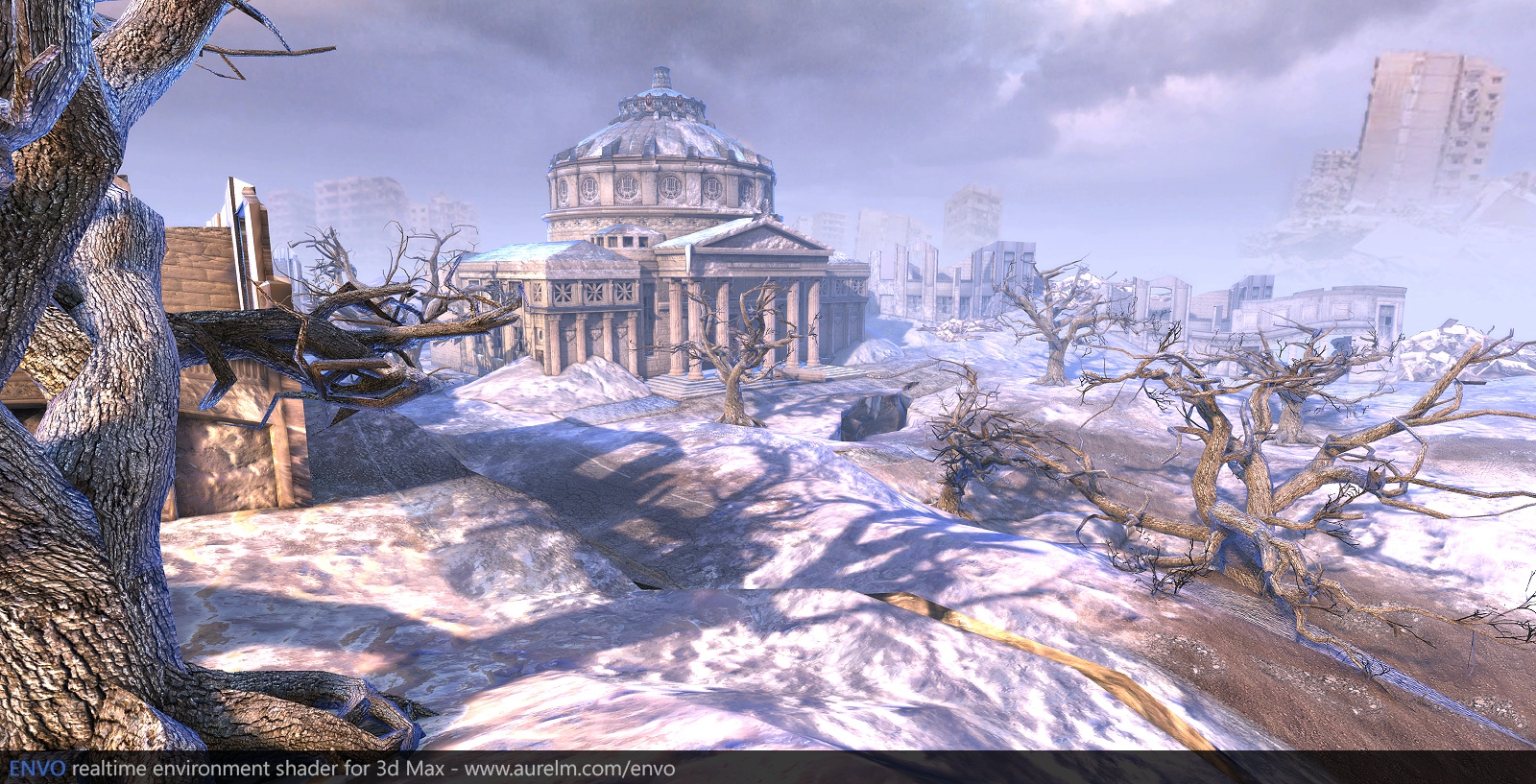
So, I'm Aurel Manea and lead 3d studio artist for Gameloft studio in Romania and Eastern Europe, but technically I'm more on the technical side of the 3d realm.
This is my first attempt of a shader that is no work specific and tries to fill a void that I found in the realtime shader world for 3d max.
That is a shader that is the equivalent of Xoliul for prebaked lightmap based scenes.
Why ? Because I found that the result while rendering with v-ray are much better than any global illumination engine for Unreal or Unity.
It is made with shader FX as I don't have enough knowledge or pacience for something this much
You can find out more and download it along with a sample scene from my website:
http://www.aurelm.com/envo/
Replies
http://wiki.polycount.com/CategoryShaders
What is the problem you are talking about ? You mean the issue when working with lightmaps that you need to store the light normals in another map ?
If so, no, I did not even concern myself with it.
Regarding the Normal Maps the shader mostly uses normal maps for the cubemaps, the extra light (lights soon) are just a cherry on top that I'm not sure it's necessary.
Yes, it's true you don't feel the light as with directional lightmaps, but for the usual artist I don't think it's a problem. That is in my domain that for now regards mobile platforms (Ipad, iphone) we are not quite there yet and there would not be enough memory for this or per pixel gpu power.
And I don't think there is another way to have proper specular and per pixel light wiith lightmaps unfortunately. Even if there would be I think the overheaad for an artist would be too much as I don't think any of the major rendering engines available for 3ds max supports directional lightmaps. I may be wrong and if so I might start experimenting with them.
One question, how is the performance? I tried creating an Uber-Enviroment shader in Max not too long ago, but the scene lagged like crazy, how did you solve that?
Well to be honest at home I have an ancient nvidia gtx 270 and did not have any performance viewing and walking around the scene. Working with it and trying to model and unwrap while having the shader active on a big piece of geometry is another problem and the scene will lag like hell with any hlsl shader. I think it's because of the way max handles directx shaders.
However the shader is not optimized in any way as it is the brute unoptimized code Shader FX gives and if someone were to go through it could probably get half the cycle count it has not (and I don't know what it is now
ps: The scene might lag for a lot of reasons. For example I had to drop the tga textures for DDS ones because using big tga files filled my video card memory in an instance .
Forcing anisotropic filtering to something like 16x in the video card driver is also a performance killer.
How to ? Directional lightmaps with 3dsMax/Vray
I will experiment and see if I can gate a base working scene with directional lightmaps and after try and implement it in the shader.
I also have a list of my own features to add, like special glass shaders that do multiple lookups to generate depth scratches. And also an all-in-one postprocessing shader for 3d lut based color correction, vignetting, bloom etc.
Kinda sucks, but I'm very interested to see what you can do.
Unfortunately I only have 3dsmax 2011 and 2013 installed so could not confirm. Can you give more details about your system ?
Ace-Angel, When using scene effect loader it seems max samples the scene just fine, at least the examples found in maps/fx/scene work and managed to do a modified version of the bloom one. And I'm very sure that a couple of years ago I saw a max scene that sampled the scene inside an object shader and had realtime refraction for water.
I don't think there is any way to have acces to the z-buffer so something like depth of field will not work.
But my knowledge of hlsl is very limited when trying to write something from scratch, I guess it's something I have to work on.
- 3dsmax 2011 and 2012 x86/32bit
- 4Gb Ram
- Intel i5 2.8Ghz
- Nvidia GTS 450
I tried to import the mesh to a fresh scene and it still crashed when I saved [especially when I import the trees]. I will try it on a 64bit machine back home and see if that works ^__^
Anyway, I did some tests and manage to get directional lightmaps working using noors method (Thanks Eric). It was trivial since shaderfx already has a node for that. However I think that was it for the shadee and the scene is starting to become unusable
Hi aurelm, yes that might be the problem, I tried the scene on my 64bit rig and the scene runs very well without any crash, so it might be software related.
- 3dsmax 2012 x64
- 4Gb Ram
- AMD Phenom 3.2Ghz
- Nvidia 9600 GT
http://www.aurelm.com/envo/
The beta and scene has working directional lightmaps.
And in the next version I hope that it will also have specular from the irradiance
And thanks everyone for the feedback and help, I credited you.
-Aurel
Glad to know i've been of some help.
You made a typo on "ressources" on the page you've linked.
First thanks for your work !
I am currently using your shader for an art test and i am facing a problem with fog.
It seems that the fog is not based on pixel depth in my scene.
When i enable fog in the material it just adds a color layer on the meshes and it's not fading away when i get closer.
I tried to play with the near/far parameters but it's doing nothing.
Any idea why it doesn't work correctly ?
It works fine in the exemple scene btw ...
edit : Problem solved, just had to attach all my meshes together ! stupid me...